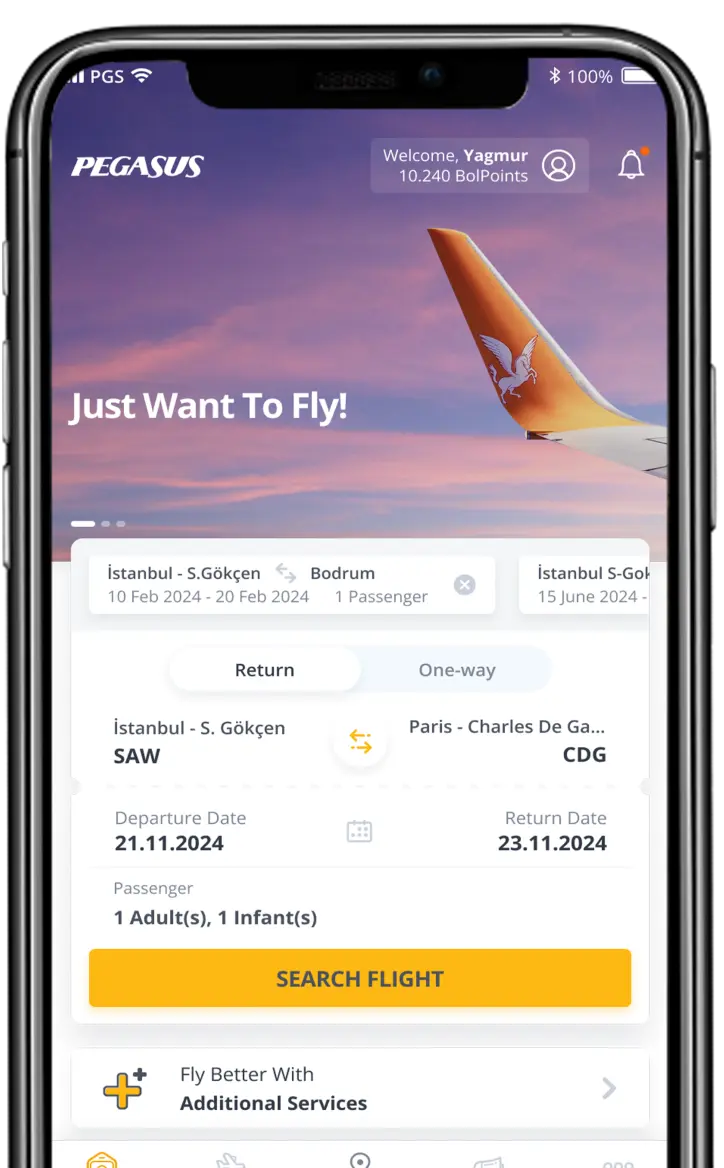
You can purchase your tickets from the Ticket Sales tab on the left-hand side of the www.flypgs.com homepage, or you can use your mobile/tablet and our iOS or Android apps and a Visa/Mastercard credit card. You can also call our call center on 0090 850 250 67 77 to purchase your ticket.
Frequently Asked Questions
Sıkça Sorulan Sorular
Tick the "Change Currency Box" to the right of the "Checkout Basket", select the desired currency, and complete your ticket purchase.
Customers who purchased their ticket from flypgs.com or mobile channels can easily access their flight details and make changes on the website by entering their reservation number (PNR) and surname in the "My Ticket Transactions" section on the homepage of the website. Customers who purchased their tickets from the call centre or an agent need to contact our call centre on 0090 850 250 67 77 in order to make any changes. For rules on changing your ticket, we recommend you read the section entitled "Reservation Changes and Ticket Cancellation" in the general rules section.
Customers who purchased their ticket from flypgs.com can access their flight details on the website by entering their reservation number (PNR) and surname in the "My Ticket Transactions" section on the homepage and cancel some or all of their flights. For details about cancellation rules, we recommend you read the general rules section.
Passengers who have purchased tickets can also enter their reservation number (PNR) and surname in the "My Flight Services" section under the "My Flight Services" on the flypgs.com home page to select the desired additional services.
If you wish, you can view your tickets by entering your reservation number (PNR) and surname in the Manage My Booking area of the flypgs.com homepage and print out a copy.
It is not possible to change the name on tickets which have been reserved or purchased.
Customers who purchased their ticket from flypgs.com or mobile channels can easily access their flight details and make changes to the contact details entered when purchasing a ticket by entering their reservation number (PNR) and surname in the "My Ticket Transactions" section on the homepage of the website.
If your flight has been cancelled or the scheduled flight time has been changed, you can call our call centre on 0850 250 67 77 for ticket transaction support. Only assistance to do with cancelled flights and changed departure times can be provided on this number.
If your flight is cancelled due to adverse weather, you can book another Pegasus Airlines flight on the same route free of charge as long as you do so within 3 days of the cancelled flight. Your new flight must take place no more than 14 days after the cancelled flight. For any requests made outside of the specified restrictions, the only option available will be a deduction-free ticket refund.
Refunds for cancelled flights, and for Pegasus Airlines flights that connect to or from the cancelled flight on the same day, are refunded in full with no deductions and can be requested up until the expiry date of the ticket. For refunds of flights connecting to the cancelled flight, the passenger must not have taken the flight concerned. Normal fare rules apply to other flights on the same ticket.
You can add a child/infant to your ticket by contacting our call centre on 0090 850 250 67 77.
Passengers can make a ticket they have purchased an open ticket as long as the first flight has not taken place. An open ticket must be used within 1 year of being changed. Only the penalty fees for the relevant class will be applied for this transaction. If there is a price difference between dates, only this will be paid, and no penalty charge will be applied. You can change your ticket to an open ticket by contacting our Call Centre on 0090 850 250 67 77 or via the My Ticket Transactions section of our website.
The applicable class penalty rules will be applied when a passenger changes their ticket to an open ticket.
Open tickets cannot be transferred and the name on the ticket cannot be changed.
Call our call centre on 0090 850 250 67 77 for your flight information.
For transactions relating to free tickets, call our call centre on 0090 850 250 67 77.
If you want to lock the ticket price of a flight you have found and/or prefer to pay for it later, you can make a paid reservation, which will reserve the ticket for a specific period of time. The paid reservation option can be chosen on the page listing flight options after you have done a flight search. You will see a section with a key icon located under the table for flight options. Check the box marked 'I want to lock the price' and click 'continue' to be redirected to a page where you can choose the number of days you want to make your reservation for.
You can secure the price of your chosen ticket online and make a paid reservation.
You can complete your purchase by going to the 'Manage My Bookings' section on the Flypgs.com homepage and entering your reservation number (PNR) and surname to be redirected to the sales page.
Yes, you can. However, the reservation period will be cancelled and you will need to complete the ticketing process or make another paid reservation.
Only flight information for tickets that have been fully paid for is sent by email.
You can make a reservation for 10-25 people directly via our website. You can send requests for 26-100 people using the request form. You can find other details about your group reservations here.
Click on the link sent by SMS to your Android phone and select ‘Open URL’ from the options given. Then select your default browser from the ‘Open With’ options given to you.
If you want to open the barcode from the Pegasus mobile app, you are redirected to the app’s main page. To access your barcode easily and quickly, please follow the steps above.
Check-in is the name for the airport procedure, which includes baggage handling and ticket control. You can check-in online before arriving at the airport by selecting the Check-in tab on flypgs.com and entering your reservation number (PNR), name, and surname. Use the special counters at the airport to complete the check-in process quickly. Passengers without baggage can check-in online and get their boarding pass sent by SMS to their mobile phone or by email. They can then go straight to security control with their boarding card and continue on to the boarding gate for their flight.
You can check in online by selecting the Check-in tab on flypgs.com and entering your reservation number (PNR), name, and surname. Alternatively, you can check in with your mobile phone using our mobile app or via our mobile website.
For tickets purchased from our website, call centre, agents, or airport sales offices, you can check-in at flypgs.com or via our mobile app at the earliest 2 days before your flight, and no later than 60 minutes before.
Passengers can check in using Pegasus apps for iPhone, Android, and iPad.
Check-in can be completed by tapping on the check-in button on the main menu and entering your reservation number (PNR), name and surname. You can also check in from your mobile phone by going to our mobile site at mobile.flypgs.com.
The Mobile Boarding Pass (barcode) sent by email or SMS (or the passbook app for iPhone users) to passengers who check in using their mobile phone is read by Mobile Boarding Pass (barcode) readers at the boarding gates for international flights departing from Sabiha Gökçen and other boarding gates at specified airports in Turkey, allowing passengers to board the aircraft.
A Mobile Boarding Pass barcode is a QR [square] code sent to Pegasus passengers when they check in and can be used in place of a boarding card. Passengers with a Mobile Boarding Pass (barcode) can go through the boarding gates for international flights departing from Sabiha Gökçen, as well as boarding gates at other airports in Turkey, by scanning their Mobile Boarding Pass (barcodes) on the smart devices/mobile barcode readers, and then enter the aircraft.
Mobile Boarding Pass (barcodes) can be obtained by checking in via the website as well as mobile platforms.
Begin the online check-in process at flypgs.com, using your mobile phone via the mobile website at mobile.flypgs.com, or using the Pegasus apps for iPhone, Android, and iPad.
Click on the check-in menu.
Find flights you can check in for by entering your reservation number (PNR), name and surname.
Choose the relevant flight and follow the steps on the page to complete your check-in.
After you have checked in, you will be redirected to a page, which will ask you to enter your email address and mobile number. Enter your details and confirm.
A message containing your flight details and Mobile Boarding Pass will be sent to the email address and mobile number you have provided.
· When you click the link, your Mobile Boarding Pass will be displayed.
Passengers without baggage can pass quickly and easily through airport procedures by showing their Mobile Boarding Pass (barcode) to officials at security control and at the boarding gate.
We recommend that our passengers take a screenshot of their Mobile Boarding Pass (barcode). The screenshot of the Mobile Boarding Pass (barcode) can be used if no internet connection is available.
You can access your mobile boarding card (barcode) again via our website or mobile app.
To access your mobile boarding pass via the website:
- Log into www.flypgs.com.
- Click “Online Check-In”.
- Enter your details to log in.
- Send you mobile boarding pass via SMS or e-mail.
To access your mobile boarding pass via the Pegasus app:
- Download the Pegasus app to your device.
- Tap the “My Mobile Boarding Passes” menu.
- Enter your details to log in.
- Send you mobile boarding pass via SMS or e-mail.
This is a processing fee charged by all Pegasus sales outlets (agents, website, call centre, sales offices, and mobile app). In accordance with the code of practice, the charge is deducted when you buy your ticket and is not related to where you check in.
During the ticketing process, a check-in fee, starting from TRY 15 on domestic flights, USD 2 for flights arriving in and EUR 2 for flights departing from North Cyprus, USD 10 (or the equivalent in local currency) on international flights is charged for each passenger on the reservation number (PNR) and each flight segment of all tickets. This fee varies according to the country and flight route taken.
The check-in fee will only be charged once for transit flights that share the same flight number for each leg, but connecting flights with different flight numbers will be subject to a check-in fee for each separate leg of the journey.
No, it is not yet complete. The check-in process must be completed before the flight via any of the available check-in channels and in line with the Pegasus general rules.
You need to check in separately for each flight included on your reservation number (PNR)
You need to check in separately for each passenger included on your reservation number (PNR). Although you need to check in separately for each passenger on your reservation, you can check them all in at the same time.
You can check in for any flight on your reservation number (PNR). Separate boarding passes can be printed for each flight. We recommend that passengers with connecting flights print the boarding pass for every connecting flight they have checked in for before arriving at the airport in order to save time when catching their connecting flight.
Purchasing the seat is not the same as checking in.
The package sales system offered by Pegasus allows passengers to personalise their trip with four option packages, which include discounted combinations of benefits like seat selection, additional baggage allowance, and free cancellations and refunds.
You can choose a flight package on the flight results page that appears when you search for flights on flypgs.com.
There are 4 flight packages available;
The Basic Package is only valid for international flights and is currently only available for purchase at flypgs.com. You can add any additional services you wish.
The Essentials Package allows you to fly at affordable prices. In addition to a baggage allowance of 15 kg on domestic flights and 20 kg on international flights, you can customise your flight with additional services.
The Advantage Package offers discounts on the most popular extra services from Pegasus, as well as affordable priced tickets. You can make your journey more comfortable with discounts of up to 50% on additional services.
The Comfort Flex Package offers you an extra comfortable and flexible journey. You can enjoy discounts of up to 50% on all our extras, such as seating choice, hot food, a ticket reissue and a cancellation.
Please click for more details about our packages.
Purchasing additional services together give you a better deal.
Packages are available on a large number of Pegasus domestic and international flights.
The Advantage and Comfort Flex Package features are standard. If the package includes seat selection or food options, you can choose the seat or meal you want. Also, if you choose the Basic Package, you can still add whichever additional services you want. However, in this case we advise you not to ignore the price advantage of the Advantage and Comfort Flex Packages.
If you are buying a ticket for more than one passenger, the same package is applied to all of them. For example, if you choose a package for one passenger, it will also be applied to everyone else you are purchasing a ticket for.
Yes, it is possible to choose a different package for your outbound and inbound flights.
You can find details of what is included in your package on our website However, your ticket has a code that relates to the type of package you have bought.
The package you have chosen will be valid for every leg of your connecting flight. However, meal and extra baggage options may vary according to your destination.
Yes, you can choose your sandwich or meal/breakfast type, depending on your package.
It is not possible to change your meal choice later on. To change your seat number, a member of counter staff will be able to assist you if there is a suitable seat available on the day of your flight.
You certainly can. You earn points based on the cost of the package.
Flight packages are available on the Pegasus site and mobile app.
If additional services already purchased are the same and available, these will be transferred to new flights; where they cannot be transferred, passengers will be asked to make alternative choices from available additional services. If the additional service purchased for the original flight is not available on the new flight, a refund will be issued.
Deductions are applied to refunds for Advantage Package reservation changes and cancellations. As a result, a charge is deducted from the package cost in accordance with the fare class rules, and the remaining amount is refunded. A table showing the charges applied to each fare class can be found on our website in the General Rules/Reservation Changes and Ticket Cancellation menu.
Unlike other packages, changes or cancellations to Business Flex Package reservations can be made up to 2 hours before the flight, without incurring any penalties or charges. However, if the fare for your new flight is higher than the original, the fare difference will be payable. If you cancel your ticket, the entire cost of your ticket will be refunded, minus the service charge you paid when you purchased your ticket.
Changes and cancellations must be completed up to 2 hours before a flight. Changes and cancellations cannot be made if there is less than 2 hours before a flight, even on Comfort Flex Package tickets. In this case, only airport taxes will be refunded on Comfort Flex tickets.
Packages can be bought for children. Tickets are not issued for infants aged 0-2.
You can view package features on the pages of our website that explain the flight package system, or by hovering the mouse over the package name on the page where you make your flight choice.
Packages are not available for open tickets.
Turins Insurance had been operating since 2013, but in June 2016, through the investment of GULF INSURANCE GROUP K.S.C.P, it began serving the Turkish market under the title "GULF INSURANCE".
GULF INSURANCE GROUP K.S.C.P
44% of GULF INSURANCE GROUP K.S.C.P shares are held by the Kuwait Projects Company (KIPCO), and 41.4% are held by Fairfax Financial Holdings Limited, with the remaining shares open to public trade. The company was founded in 1962, and with the experience of these two major companies, it now operates in 9 different countries.
Gulf Insurance has 5 regional offices in addition to its main headquarters. Their offices are in Istanbul, Ankara, Izmir, Adana, and Bursa.
Travel insurance is a range of insurance products and options which cover individuals against personal accident ad medical treatment costs, as well as delays and travel disruption on both domestic and international journeys.
You can get travel insurance in two different ways from the Pegasus Airlines website www.flypgs.com.
- Together with your Pegasus Airways plane ticket (Ticketed Insurance)
- By purchasing one of the recommended products displayed in the special travel insurance section (Optional travel insurance)
Ticketed insurance is offered to Pegasus Airlines passengers and provides offers and discounts. Ticketed travel insurance is valid for 48 hours on one-way tickets and for 30 days on round-trip tickets. Travel insurance expires once you have returned to the place you live after travelling. Ticketed travel insurance is only valid when travelling with Pegasus Airlines.
No. You can only get ticketed travel insurance when travelling with Pegasus Airlines.
Ticketed travel insurance cannot be cancelled and so premiums cannot be refunded.
No. Your travel insurance is an integral part of your ticket. If you change your flight date, your travel insurance will be valid for 30 days as of your new flight date.
The minimum age for ticketed travel insurance is 2 months, and there is no upper limit. However, some exceptions apply to passengers over the age of 64 in ticketed travel insurance. There is a minimum age of 6 months for optional travel insurance, and an upper age limit of 80 for Schengen Visa Health Insurance, 65 for Travel Guard Annual Travel Insurance, and 75 for other insurance options.
Travel insurance is valid between the policy start and end dates specified by the policyholder.
Domestic travel insurance is valid within the boarders of Turkey and covers any journey you make within the boarders of Turkey.
The ticketed travel insurance offered to Pegasus Airlines passengers is valid in all destinations that Pegasus Airlines fly to. The valid regions of all other travel insurance products are listed below:
· Schengen Products: All Schengen countries
· Worldwide Products: Valid for all regions except Afghanistan, Cuba, the Democratic Republic of Congo, Iran, Syria, Sudan, North Korea, and the Crimea region,
· Domestic Products: Within the boarders of Turkey
Anyone travelling domestically or overseas of eligible age.
For details regarding products and their cover, please visit the "Products" or "Specific Policy Conditions" section.
Yes, they are.
You can contact Gulf Insurance Assistance Services while overseas on the following numbers:
24 Hour Emergency Assistance & Travel Advice Line
Gulf Insurance Assistance ServiceTel: +90 212 318 0872
Tel: +90 850 488 0472
Gulf Insurance inc. : + 90 216 681 75 30
pegasusseyahat@gulfsigorta.com.tr
If you chave a reason to claim, contact us on 0216 681 75 30.
In order to use the Emergency Medical Transplantation Cover, you mut first call +90 212 318 0872 /+90 850 488 0472 to obtain approval from Gulf Assitance Services, or to contant Gulf Insurance inc.
Click the "What to do in case of claim" link for more information.
Under the General and Special Terms of your policy, your claim will be evaluated within 2 business days of receipt of all the documents in your claim file.
Natural and intact tooth treatment costs for pain which begins suddenly while travelling, are accompanied by a valid medical report dated during travel, and which are covered by the policy, will be met. Treatments include fillings, surgery, services, or medication, and each tooth is covered up to $100.
If the policyholder is diagnosed with an illness with clear symptoms for the first time, or is injured as a result of an accident while travelling, the costs of services and medication required for treatment will be covered up to the limits stated in the insurance policy, within the framework of the insurance policy's general and special conditions. For more information about what to do in this situation, click the "What to do in case of claim" link.
Baggage which has been checked by security and is in the care of passengers is not covered by lost baggage cover.
Children who have not reached the age of 3 (0-24 months) are considered infant passengers. Infants and mothers are not allowed to fly within 48 hours of birth, even with a doctor's report. It is recommended that mothers and infants travelling over 48 hours, but less than 7 days after the birth, obtain a doctor's report stating that there is no reason for them not to travel by air. In accordance with flight safety rules, an adult may only be responsible for one infant.
Infant passenger aged 8 days - 2 years:
· Can travel with a parent/guardian aged 18 or over.
· Infant fares will apply.
· Cannot be accompanied by cabin crew.
· Child passengers aged 3 - 6:
· Cannot travel on their own.
· Can travel with a parent/guardian aged 18 or over.
· Cannot be accompanied by cabin crew.
-Child fares/discounts are applicable (except on promotional fares).
· Child passengers aged 7 - 13:
· May travel unaccompanied on condition the Unaccompanied Child procedure is applied. More information is provided in the "Unaccompanied Child Procedure" paragraph below.
-Child fares/discounts are applicable (except on promotional fares).
-They cannot travel on connecting flights.
For more detailed information, we recommend passengers visit the General Rules page and check under the heading 'Child and Infant Passengers'.
Tickets for child passengers aged between 2 and 12 who are travelling alone can only be purchased by contacting our call centre on 0090 850 250 67 77.
The only pets that can be transported on our flights are birds, cats, and dogs. There is a charge for this service. Passengers must bring their pets into the cabin inside a box or cage (supplied by the passenger), which must not exceed the dimensions of 32cmx32cmx50cm cm or total weight of 8 kg. Pets weighing over 8 kg in their cages must be placed in the cargo hold. You must make a reservation for the pet you wish to travel with by calling the Pegasus Call Centre on 0090 850 250 67 77.
The United Kingdom, UAE, and Qatar do not accept live animals from abroad, so pets cannot be taken to these countries.
For more detailed information, we recommend passengers visit the General Rules page and check under the heading 'Travelling with Pets'.
FOR PASSENGERS ARRIVING ON DOMESTIC FLIGHTS
If you have an onward international flight, go to the departure lounge upstairs as soon as possible, pass through international passport control, and proceed to your departure gate. There is no need to change terminal.
If you have an onward domestic flight, report to the domestic transfer desks before arriving at the baggage delivery hall. Go on to the departures lounge upstairs, and proceed to your departure gate.
FOR PASSENGERS ARRIVING ON INTERNATIONAL FLIGHTS
If you have an onward international flight, report to the domestic transfer desks before passing through passport control. Go on to the departures lounge upstairs, and proceed to your departure gate.
If you have an onward domestic flight, after passing through passport control, go to the departure lounge upstairs as soon as possible, and proceed to your departure gate. There is no need to change terminal.
If you did Duty Free shopping while on board an international flight, ensure that your goods are in a sealed bag with a receipt to avoid issues at security control.
In accordance with security rules, only the following documents will be accepted:
· National ID Card
· Driving Licence
· Passport or documents valid instead of passports
· Marriage certificate
· A birth certificate up until one month after birth (to be accompanied by the parent's ID.)
· Visa and/or passport for international flights
With the entry into force of the EU Regulation No. 610/2013, Article 5 of Regulation No. 562/2006, which regulates the conditions for entry of third country nationals into the EU, has changed. The travel documents carried by short-stay nationals of countries which are not members of the EU must meet the following criteria:
The travel document must be valid for at least 3 months as of the date of departure from Member Country regions.
This travel document must have been issued within the last 3 years.
Border Control will impose fines if the travel document does not meet the criteria above.
In case of ill health, you must send us a medical certificate proving your medical condition signed and stamped by your doctor via the Contact Us section of the website. If a first degree relative has passed away and you are unable to make your flight because of their funeral, you must send us a copy of their death certificate.
If you are looking for the answer to another question, click to see the other question categories.
For agency transactions, please contact us at acentedestek@flypgs.com
Unfortunately, the Android operating system of our Pegasus Mobile App does not support versions prior to 4.2.
You can continue to use our app by updating your Android operating system.
Pegasus BolBol is a flight program that allows Pegasus Airlines passengers to earn points when they buy flights and additional services such as seat reservation, meals, or extra baggage allowances, as well as from purchases made with Pegasus BolBol Program partners. Members can then use their BolPoints at Pegasus Airlines to purchase flights and extra services. Pegasus BolBol members can join the scheme free of charge and take advantage of any offers or privileges without any extra charges, other than those which earn BolPoints.
Pegasus Bolbol members earn 1 BolPoint for every 2 TL spent on tickets purchased from the Pegasus mobile app, flypgs.com and other channels. They cannot earn BolPoints from tickets purchased from online travel agencies.
For example, when a 1000 TL flight ticket is purchased, 500 BolPoints are earned after the flight.
This earning rule also applies to additional service and package purchases.
Pegasus Bolbol members also earn BolPoints for their pets flying with them. 1 BolPoint is earned for every 2 TL spent for our little friends.
*This rule change covers tickets purchased after 06.02.2025.
You can set up your membership to start earning and using your BolPoints on the Pegasus BolBol page at flypgs.com and the mobile website, or by filling in the form on our mobile app. You can sign into the membership page with the passcode sent to you when you create your membership and your mobile phone number. Here, you can see specially selected promotions, as well as your flight details and FlightPoints.
Your Pegasus BolBol membership number is your mobile telephone number, and all transactions are made online. There is no actual physical card.
The Pegasus BolBol Credit Card is a joint brand card issued by ING Bank, a Program Business Partner, and applications for this are made via ING Bank. Credit card holders also have full rights to Pegasus BolBol membership and can use the mobile phone number they use for banking for Pegasus transactions as well.
There are no time limitations to Pegasus BolBol membership. Your membership does not have an expiry date and will not need to be reactivated.
Pegasus BolBol members cannot earn BolPoints from flights purchased through an online travel agency. However, after purchasing these flights, they can add additional services such as seat selection, baggage, and meals via the Pegasus mobile app or flypgs.com and earn BolPoints only from these additional services.
Memberships in Pegasus BolBol are personal and membership information is confidential. To use your BolPoints, you must log in with your registered mobile phone number and your 8/16-digit password. You can purchase a ticket on behalf of someone else by using the BolPoints you have earned. However, in order to buy a ticket for someone else with your BolPoints, you must first have purchased a ticket for yourself with your BolPoints. For your personal information security, you should not share your password with others.
You can update your name, surname, mobile phone number and email details once a year by logging into the Pegasus BolBol members’ area.
If you wish to make changes more than once, you can send your request by filling out the form in the "Contact Us" section of our website.
In the Pegasus BolBol Program, your membership number is your mobile phone number. You can enter the mobile phone number you have registered with the program into any field that asks for your membership number. If you have forgotten your passcode, you can request a new one by clicking on the "I Forgot My Passcode" option on the Pegasus BolBol sign in page at flypgs.com or on the Pegasus Mobile Application . You can also request help via our Call centre. Calls to our Call centre will be charged at the calling rate advertised by Pegasus.
Membership accounts found to be registered to the same member can be merged. If certain details are the same on different membership accounts, they'll be identified by the system and automatically merged. You can also make a request to merge accounts belonging to the same person by contacting our call centre or writing to us via the "Contact Us" page of flypgs.com. If there are any BolPoints in either of the accounts they'll be merged and appear in the new account.
To cancel your Pegasus BolBol membership, log in as a member and click on "Cancel Membership", which you will find in the "Edit Profile" section. Alternatively, you can send your cancellation request either via the "Contact Us" page or by contacting our call centre
You need to take a flight in order to start accumulating BolPoints in your account. After your first flight, in addition to the points you have earned from the ticket, a gift of 1000 BolPoints will be credited to your account by Pegasus BolBol. You can start using the points in your account starting from your second flight. To purchase a ticket using BolPoints you must have a minimum of 2000 BolPoints in your account.
You do not have to fly in order earn BolPoints through program partners. If you have earned BolPoints from programme partners, you can start spending them starting from your second flight.
If you have signed in as a member, you can search for flights using the flight search screen, then you can use the TL-BolPoints conversion button located on the top right corner of the internet page and the bottom right corner of the mobile application to view your BolPoints. Continue the process with the BolPoints total to make payment using your BolPoints at checkout.
At checkout, you'll be offered different payment options depending on the available BolPoints in your account. Even if the BolPoints in your account is not sufficient to cover the total of your basket, you'll still see options which will allow you to use your BolPoints at checkout.
In order to purchase a ticket using BolPoints, you must have at least 2000 BolPoints in your account.
To purchase tickets using BolPoints, you must have a minimum of 2,000 BolPoints in your account. If you have at least 2,000 BolPoints, you can use them and pay the remaining cost of a ticket with cash.
The ticket price for domestic flights is 10,000 BolPoints plus taxes and additional fees for the winter season, and 15,000 BolPoints plus tax and additional fees for the summer season. For international flights, the cost is 25,000 BolPoints plus tax and additional fees for the winter season, and 30,000 BolPoints plus tax and additional fees for the summer season. If you have enough BolPoints to cover the entire ticket amount, you can choose to pay with BolPoints before proceeding to payment.
When buying tickets from Pegasus via flypgs.com and our mobile application, you can use your BolPoints to purchase seat selection, extra baggage allowance, add Pegasus Flex (unlimited change) to your ticket, and to make meal orders. You can save up enough BolPoints to pay for your entire ticket or pay part of the cost in BolPoints and part in cash.
In the event of the cancellation of tickets paid with BolPoints, members will be charged 400 TRY for domestic flights, 25 EUR for Cyprus flights, and 55 EUR for international flights. The required amount will be deducted from any refundable amount, and the BolPoints portion will be refunded without any deduction. If the refundable amount is less than the required refund amount, the missing portion will be collected, and the amount in BolPoints will be refunded without deduction. If the refund is entirely for a ticket purchased with BolPoints, the refund fee will be as stated above: 400 TRY for domestic flights, 25 EUR for Cyprus flights, and 55 EUR for international flights. If the net amount refunded to the member is less than the tax amount on the ticket, no refund will be charged during the cancellation process, and only the tax refund will be processed.
You can check how many BolPoints you have earned by signing into the Pegasus BolBol membership page on flypgs.com or the Pegasus mobile app. Alternatively, you can find out by phoning our Call centre and entering your membership number and passcode.
After you have updated the app, you just need to log in to your Pegasus BolBol account again in order to see your BolPoints points and use them as you wish.
BolPoints will expired at the end of the second calendar year following the date on which they were earned. The validity period of earned BolPoints may vary depending on the earning conditions set by Pegasus. Pegasus reserves the right to differentiate the validity periods of BolPoints, provided that this is indicated before they are earned.
Your oldest BolPoints are used first by the system. BolPoints that are no longer valid are automatically removed from your account on the last day of the year. Pegasus is not obliged to inform members about BolPoints that are about to expire.
If your ticket is refunded after the expiry date of the BolPoints that you used to buy it, the points will be deleted from your account automatically as "expired points"; they won't reappear in your account and you won't be able to use them again.
If a ticket is refunded while the tickets are still valid, the BolPoints will be refunded to the member’s BolBol account after deducting any penalty for the ticket refund.
You can check BolPoints that are about to expire by signing into the Pegasus Plus pages at flypgs.com , using your mobile number and passcode.
BolPoints earned through the Pegasus BolBol membership scheme cannot be converted into cash.
BolPoints earned from tickets and extra services should appear in your account no later than 72 hours after your flight. To ensure the BolPoints are automatically added to your account, you need to log in before buying a ticket, or enter the mobile number you have registered to the scheme into the Pegasus BolBol member’s number field when filling in the passenger details section during your ticket purchase.
If you do not see your BolPoints in your account even after you have entered your BolBol membership number and 72 hours have passed since taking your flight, you can use our call centre or you can make a request via the "Contact Us" section on flypgs.com
You can request BolPoints for flights you have taken up to 3 months prior to the current date. Flights purchased through Online Travel Agencies can be added to BolBol memberships. However, BolPoints cannot be earned for these flights. The feature to add flights to your membership cannot be performed on the flypgs.com website. You can perform this operation through the Pegasus mobile app, create a request via the "Write to Us" section, or call the customer service center to do so. On Pegasus BolBol, you can add your past flights to your account, and you can also add your future flights, which you have purchased without entering your membership number. Once the flight takes place, you will automatically earn BolPoints. There is no date limitation for processing future flights. To add your past and future flights to your account, you need to log in to the Pegasus BolBol page under the Pegasus mobile app, then enter your PNR or e-ticket number information in the "BolPoint Status" section under the "Add Flight" option.
It is not possible to merge accounts registered to different members, but you can use your BolPoints to buy a ticket for someone else.
Passengers aged 2-17 can open a membership account as long as it is linked to a parent's account. BolPoints earned by these linked members are added to the account they are linked to. To set up a membership linked to your account, you need to sign in on the Pegasus BolBol page at flypgs.com, then go to Membership Settings and find the section "Children and Young Persons Accounts". On this page you can set up a linked membership for children aged 2-17 and start to earn BolPoints from their flights. When your child turns 18, they will be removed from your account. They can continue to earn BolPoints by opening an account in their own name when they reach 18.
You can use your points to purchase a ticket or an additional service either for your child or for any other person you wish. In order to buy a ticket for someone else with your BolPoints, you must first have purchased a ticket for yourself with your BolPoints. The independent travel of children aged 2–12 is subject to general flight rules. We therefore recommend that you review the flight rules.
ING Pegasus BolBol Classic Credit Cardholders will enjoy all the benefits of the Pegasus BolBol loyalty programme in addition to those offered by ING Bonus’s instalment and Bonus points scheme. You can earn 20 BolPoints for every 100 TL spent and 40 BolPoints for every 100 TL spent using an ING Pegasus BolBol Classic Card, for purchasing flight tickets or other travel services with Pegasus.
The contactless feature enables you to make payments quickly and easily.
*No BolPoints can be earned for payments of invoices and taxes, insurance services, public transactions and services, road and bridge tolls and fines. The maximum amount of BolPoints that can be earned in a single billing period is 0.5% in TL of the card’s limit. No additional BolPoints can be earned for spending more than the card’s limit in a single billing period.
ING Pegasus BolBol Premium Credit Cardholders will enjoy all the benefits of the Pegasus BolBol loyalty programme in addition to those offered by ING Bonus’s instalment and Bonus points scheme. You can earn 50 BolPoints for every 100 TL spent and 100 BolPoints for every 100 TL spent using an ING Pegasus BolBol Premium Card, for purchasing flight tickets or other travel services with Pegasus.
The contactless feature enables you to make payments quickly and easily. You also have free Travel Insurance once a year.
With the Pegasus BolBol Premium Credit Card, you have access to the services listed below at Sabiha Gökçen Airport:
● Free Flash Pass Service 10 times a year
● 50% discount on the Lounge 10 times a year
● 50% discount on Valet Parking 10 times a year
*No BolPoints can be earned for payments of invoices and taxes, insurance services, public transactions and services, road and bridge tolls and fines. The maximum amount of BolPoints that can be earned in a single billing period is 1% in TL of the card’s limit. No additional BolPoints can be earned for spending more than the card’s limit in a single billing period.
You can click here to apply for an ING Pegasus BolBol Premium Card.
The annual service charge for the ING Pegasus BolBol Premium Card is 197 TL. For any questions, contact ING BANK.
You can click here to apply for an ING Pegasus BolBol Classic Card.
The annual service charge for the ING Pegasus BolBol Classic Card is 73 TL. For any questions, contact ING BANK.
The promotion applies to rentals from Budget or Avis Türkiye. When renting your car from the car rental pages under flpygs.com, you need to enter your Pegasus BolBol membership number at this stage. Remember, your Pegasus BolBol membership number is the mobile phone number you entered during program registration. If you don't enter your Pegasus BolBol number before completing your reservation, you won't earn BolPoints.
Also, if you rent your car from a Budget or Avis Türkiye office, you can earn BolPoints by informing the agent of your membership number. If you're not a Pegasus BolBol member, you won't earn BolPoints.
Regardless of the class and duration of the rental, you'll earn 500 BolPoints per rental.
BolPoints earned from vehicle rental are credited to members' accounts on a weekly basis.
You'll earn 500 BolPoints per rental from Avis and Budget Türkiye offices. Click for details.
When making your hotel reservation, select Pegasus BolBol as your loyalty program and enter your Pegasus BolBol membership number when completing the reservation. Remember, your Pegasus BolBol membership number is the mobile phone number you entered during program registration. If you're not a Pegasus BolBol member, you won't earn BolPoints. If there is more than one guest on the reservation, only Pegasus BolBol members whose membership number is entered will earn BolPoints.
You'll earn 1000-15000 BolPoints for every night of accommodation. You'll see the amount of BolPoints you'll earn during the reservation.
The BolPoints you earn will be credited to your BolBol
account 2 weeks after your stay.
You'll earn 1000-15000 BolPoints for every night of accommodation. Click for details.
You'll earn 2 BolPoints for every 1 Euro spent for accommodation bookings Click for details.
You’ll earn 500 BolPoints for every stay booked through Airbnb.. Click for details.
You can add '00' to the front of your existing 4-digit Pegasus Plus passcode to get your 6-digit passcode, or you can create a new 6-digit passcode. To reset your passcode, use the “I Forgot My passcode” option.
MasterPass is an online payment solution provided by MasterCard which allows all devices connected to the internet to make payments without having to enter your card details.
There are two ways to become a MasterPass member:
· Via the MasterPass Turkey website (www.masterpassturkiye.com)
· Registration through making a payment at a location where MasterPass is accepted
Your MasterPass user name is the mobile phone number you provide when registering. After registration through payment, your MasterPass password will be sent to the mobile phone number you provide when registering.
MasterPass is a global digital payment solution provided by MasterCard. The information you upload to MasterPass is verified via the mobile number registered with your bank, and you can add or change information after SMS verification. You can shop securely with MasterCard's MasterPass application.
Log into your account via the MasterPass Turkey website to add a card to MasterPass. You can also add a card when you shop at a store where MasterPass is accepted. After entering your card details, you will receive an SMS from the bank which issued your card to your registered mobile number. Enter the code provided in the SMS to complete your transaction securely.
You can add MasterCard, Visa, and American Express credit cards issued by the following:
· Akbank
· Aktifbank
· Albaraka Türk
· ING Bank
· Denizbank
· Finansbank
· Garanti Bankası
· Halk Bankası
· HSBC
· Odeabank
· Türkiye İs Bankası
· Vakıfbank
· Yapı Kredi
· Ziraat Bankası
Log into your account via the MasterPass website to manage your saved cards. In addition, you can also add or remove cards when shopping at locations where MasterPass is accepted and there is a user profile screen available.
MasterPass is free to use for users.
In order to shop securely with MasterPass at locations which accept it as a payment method, you will have to verify your identity with a single user code that will be sent to the mobile number registered with your card issuer. Then you will be able to use any of the cards on your account to pay for your shopping securely and easily. In addition, you can use the MasterPass Turkey website to add a new card or address.
In payments made with MasterPass, the earning of points/awards will continue within he rules specified by your card issuer. You can use the points/awards on a card saved with MasterPass as long as the location you are shopping at accepts them.
If the location you are shopping at supports instalment payments, then yes.
In order to use your account at a MasterPass member store, enter the verification code sent to you by your card issuer on the store's user profile management screen (if any), or while shopping, on the verification screen which opens on the store's website/mobile app after entering your registered MasterPass mobile phone number. Once you have done this, you will be able to use previously saved payment information at the MasterPass member store where you wish to complete your transaction. After this, you can select your payment details to complete your transaction quickly and securely.
You can use the payment details you have saved to your account at thousands of stores around the world which bare the MasterPass logo. Visit www.masterpassturkiye.com for an up-to-date list of stores.
You can use the payment details saved to your MasterPass account at any store around the world which accepts MasterPass. Visit https://shopnow.masterpass.com for an up-to-date list of stores.
You can use MasterPass on all current web and mobile browsers.
You can use cards saved to your MasterPass account at all stores. In some cases (insufficient limit, card not being open to online shopping, and store authorisation, etc.) a store or card issuer may not approve a transaction. In this case, you need to speak with a store or card issuer customer representative.
In order to reduce the risk of fraud, some stores use a range of security mechanisms provided by MasterPass. Verifying your identity with your MasterPass account password during a transaction is one of the extra security steps MasterPass implements to ensure transaction security. Your password is not shared with the member store. It is kept securely on MasterPass servers.
In order to reduce the risk of fraud, some stores use a range of security mechanisms provided by MasterPass. Verifying your identity with a one time password during a transaction is one of the extra security steps MasterPass implements to ensure transaction security. This verification code is sent via SMS to the mobile number registered with your card issuer, and can only be used by you on one occasion. The MasterPass one time password procedure is details below:
· If you enter a verification code incorrectly 3 times in a row, the “No one time password entry attempts remaining“ warning will be shown. This warning means you cannot complete your transaction and you will have to start again.
· A one time password must be used within 3 minutes of it being sent. After 3 minutes the “One time password expired” warning will be shown. This warning means you cannot complete your transaction and you will have to start again.
· After the store website/mobile app verification screen is shown, within the next 15 minutes you can click "Send password again" to request a one time password. You can request a new OTP up to 3 times for a transaction. On the 4th request, the “One time password limit exceeded. Please try again in 3 minutes.” warning will be shown.
· Make sure you entered your card details correctly. If you entered your card details correctly, make sure that you receive a SMS from your card issuer containing a one time password.
· If despite entering your card details correctly, you do not receive an SMS, contact your card issuer and confirm that your mobile number and other personal details are correct.
· If you are still receiving an error despite entering your verification code correctly, contact us at MasterpassTurkiye@echoccs.com.
· If you forget your password, you can reset it on the "I forgot my password" page. You can reset your password after verifying your identity by entering the details of any of the cards saved to MasterPass and entering the code sent via SMS to the mobile number registered with your card issuer.
· If despite entering your card details correctly you do not receive an SMS, contact your card issuer and confirm that your mobile number and other personal details are correct.
· If you are still receiving an error despite entering your verification code correctly, contact us at MasterpassTurkiye@echoccs.com .
· IF you cannot remember your card details. please contact us on MasterpassTurkiye@echoccs.com .
If the mobile number you used to register with MasterPass has changed, use your new number to become a MasterPass member. If you want to delete the MasterPass account linked to your old mobile number, contact us at MasterpassTurkiye@echoccs.com .
We would like to hear why you want to close your MasterPass account. Please contact us on MasterpassTurkiye@echoccs.com to delete your account.
MasterPass applies a range of procedures to protect cardholders from various undesirable situations. Account locking is one of these procedures. When your account is locked, for your security your MasterPass account will be closed to shopping, and no transactions using the cards saved to MasterPass will be authorized.
If your MasterPass is blocked, visit the "I forgot my password" page to reset your password and unblock your account.
MasterPass does not store any of your data on your mobile phone. Nevertheless, contact us on MasterpassTurkiye@echoccs.com to temporarily disable your MasterPass account.
Meal orders can be made when you buy your ticket up to 24 hours before the flight. If you have already bought your ticket, you can order on our website by going to the homepage of flypgs.com and entering your reservation number (PNR) and surname in the 'Manage My Booking' section.
You can view the Pegasus Café menu on flypgs.com by clicking on 'Travel Services > Flight Services > Pre-Order Meal' or by using this link.
You can place a food order up to 24 hours before your flight.
Food orders cannot be made less than 24 hours before your flight.
If you cancel your flight, the fee paid for your meal will not be refunded.
Seating is allocated automatically during the check-in process. If you prefer to choose your own seat, you can pay for a seat reservation when you purchase your ticket. You can also pay for a seat reservation after you have purchased your ticket by going to the homepage of flypgs.com and clicking on "Travel Services > Flight Services > Seat Selection". You can then enter your reservation number (PNR) and surname to complete the seat selection process.
You will be allocated a seat free of charge during the online check-in process. If you wish, you can complete the check-in process with the seat that has been automatically allocated to you.
Refunds are not issued for cancelled seat reservations.
There are two types of baggage that can be carried on your flight: hand baggage and checked baggage. Hand baggage is carried with you into the flight cabin. See information regarding weight and dimensions in the "General Rules". Checked baggage is baggage carried in the aircraft's cargo hold.
Baggage allowances vary according to the different flight packages. You can find details of your checked baggage allowance in the 'General Baggage and Portable Items' paragraph of the General Rules' section.
You can purchase additional baggage allowance for the fees specified in the general rulessection of flypgs.com up to 3 hours before your flight. These fees will be cheaper than those offered at the airport.
You can also pay for additional baggage allowance after you have purchased your ticket by going to the homepage of flypgs.com and clicking on "Travel Services > Flight Services > Additional Baggage". You can then enter your reservation number (PNR) and surname to complete the additional baggage process.
If the weight of the checked baggage you are carrying for your flight exceeds the total baggage allowance, you can pay for the excess weight at the airport.
The free baggage allowance for passengers under the age of 2 is 10 kg. Additional baggage allowance cannot be purchased for infant passengers.
Sports equipment is included in special baggage and so is subject to the fees specified in the general rules .
Yes, it is possible to travel with a pet. First of all, you need to call the Pegasus Call Centre on 0090 850 250 67 77 to make a reservation for the pet you are planning to bring with you. Only cats, dogs, and birds (on domestic flights only) can be carried on our flights. For more detailed information, please see the "Travelling with Pets" section on the General Rules page.
Passengers travelling to E.U. countries must hold animal passports for the pets they wish to travel with. In addition, passenger wishing to travel with birds must have a report from a veterinarian.
Your pet must be at least 3 months old to travel with you.
- AMBL Ambulift
- AVIH(S) Pets weighing between 8 kg and 15 kg to be carried in the cargo hold.
- AVIH(B) Pets weighing over 15 kg to be carried in the cargo hold.
- BBAG Infat Stroller Protective Packaging
- BIKE Bicycle
- DIVE Diving Equipment
- GAEX Hand baggage identified as exceeding weight limits while boarding a domestic flight.
- GAEB Hand baggage identified to exceed weight limits while boarding an international flight.
- GOLF Golf
- HUM1 Corpse
- HUMC Child Corpse
- LNGE Lounge
-
PETC Pets weighing up to 8 kg to be carried in the flight cabin
- SKI Ski Equipment
- SPEQ* Special Portable Equipment
- SURF Surf Equipment
- UMNR Unaccompanied Minor
- WCHC Wheelchair (To cabin)
- WCHR Wheelchair (To aircraft stairs)
- WCHS Wheelchair (To stairs only)
- * Equipment and items accepted as SPEQ include Surf Equipment, Kites, Canoe, Hangglider, Paragliding Kits, Hunting Rifels, Fencing Materials, and Fishing Tackle.
1 Golf set includes 14 golf clubs, 24 balls, and 1 pair of shoes, and cannot exceed 20 kg.
The fees for transfer passengers carrying golf or skiing equipment are specified in the table and are charged separately for each leg of the journey.
Just as with other special or oversized baggage, golf and ski equipment is charged for per piece. For golf equipment exceeding 20 kg, the excess baggage fee for that route will be charged for every excess kilogram per item of baggage. For 1 item of golf baggage which exceeds 20 kg, the route excess baggage fee will be charged for every excess kilogram in addition to the fixed baggage fee.
Charges for additional golf sets or skiing gear carried in the same bag are calculated up to the amount of additional pieces carried and according to the Pegasus Airlines special baggage tariffs for each flight leg.
Inflatable balls such as footballs and basketballs can be carried as they are, and there is no need to deflate them before the flight.
Charges are applicable for weapons carried for use in sports.
All the products served in the Pegasus Café are prepared in accordance with halal practices. You can view the halal meat certificates of our suppliers from the link below.